RadChat in AI Viewer
Ask radiology questions in context from the AI Viewer sidebar.
- Guide 6 of 24
- 4 steps
- 1 screenshots
- Updated July 3, 2026

 All RadioView.AI™ guides
Get Started
AI Viewer
Scribe Mode
Companion Mode
Customization Studio
CareTeam Connect
PACS/DICOM Integration
Profile & Support
- Guide 6 of 24
- 4 steps
- 1 screenshots
- Updated July 3, 2026
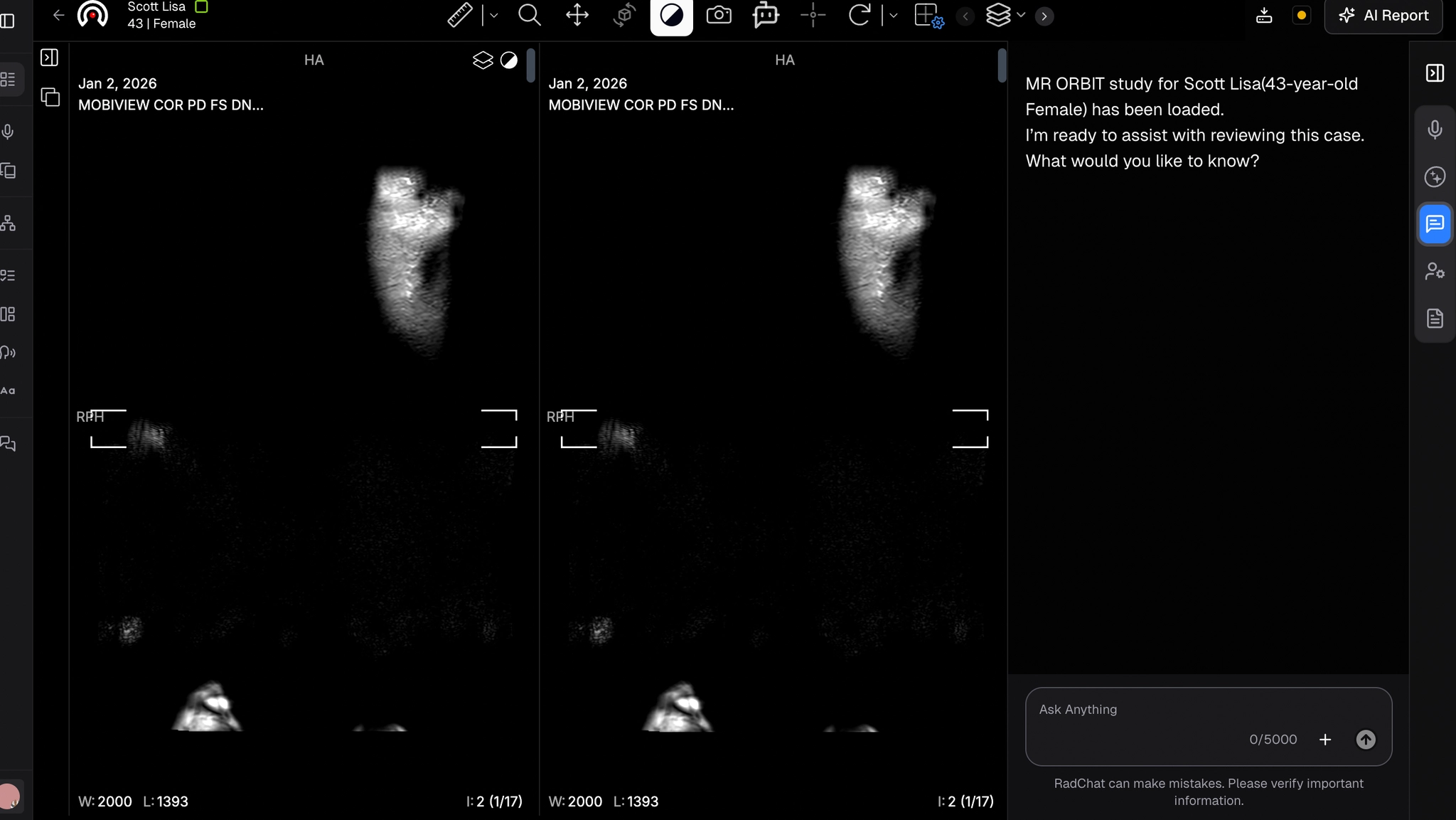
- Locate the RadChat icon (3rd from the top) on the right sidebar of the AI Viewer.
- Click it to begin chatting.
- Enter your radiology-based questions in the chat box and click the arrow on the right to submit.
- RadChat generates detailed, context-aware responses based on your input.