Healthcare Integration Platform


One integration, every EHR.
ConnectAI™ maps clinical AI outputs to Epic, athenahealth, Cerner/Oracle, and the FHIR-native systems your hospital actually runs. The data that doesn’t reach the chart? It does now.
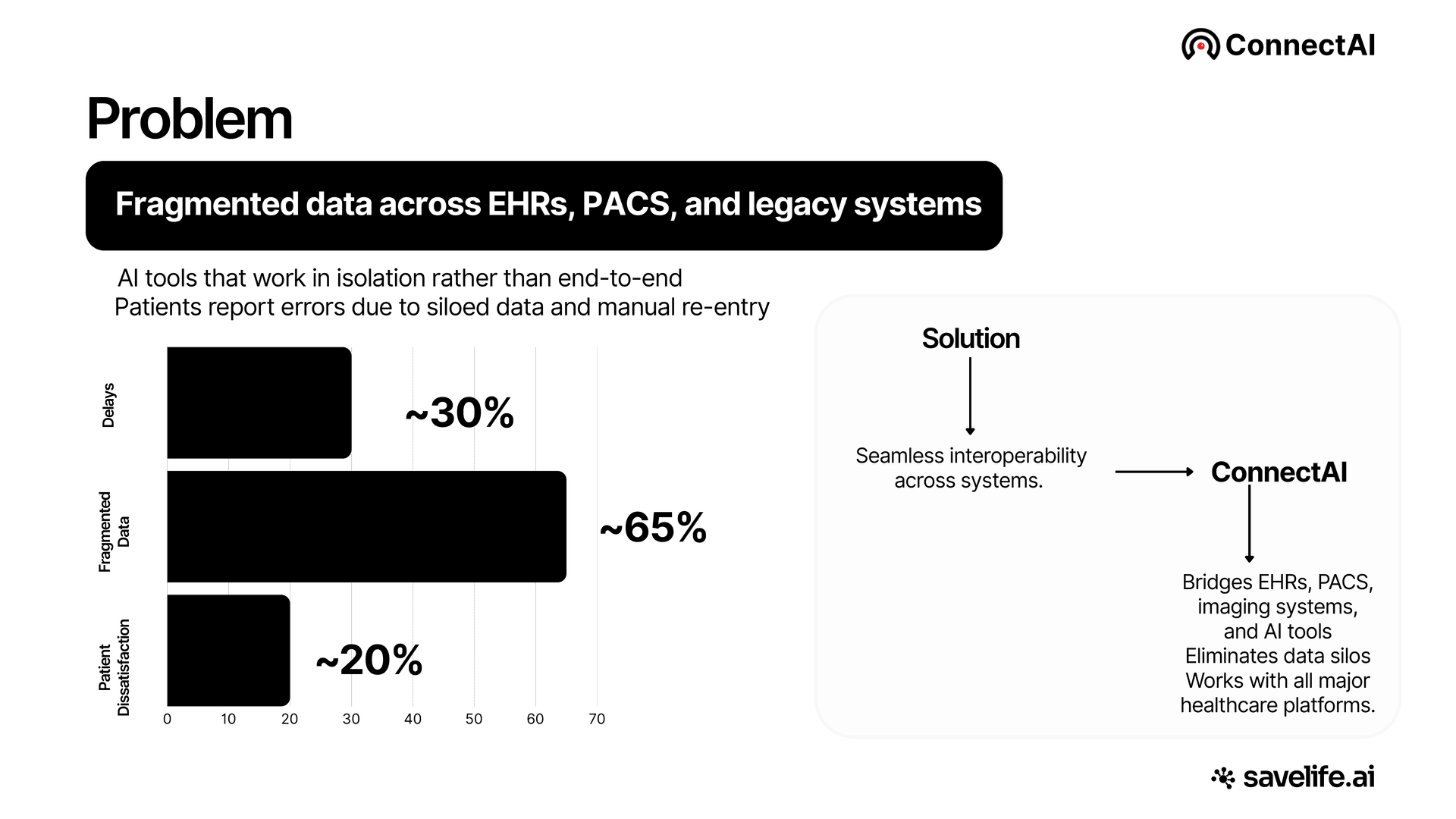
Eliminating ~30% workflow delays, ~65% fragmented data, and ~20% patient dissatisfaction from siloed systems.
Measurable ROI
Measurable ROI across every workflow
Product Features
Explore ConnectAI™ Features
Everything ConnectAI™ can do, click any feature to see it in action.
Connect every PACS and EHR
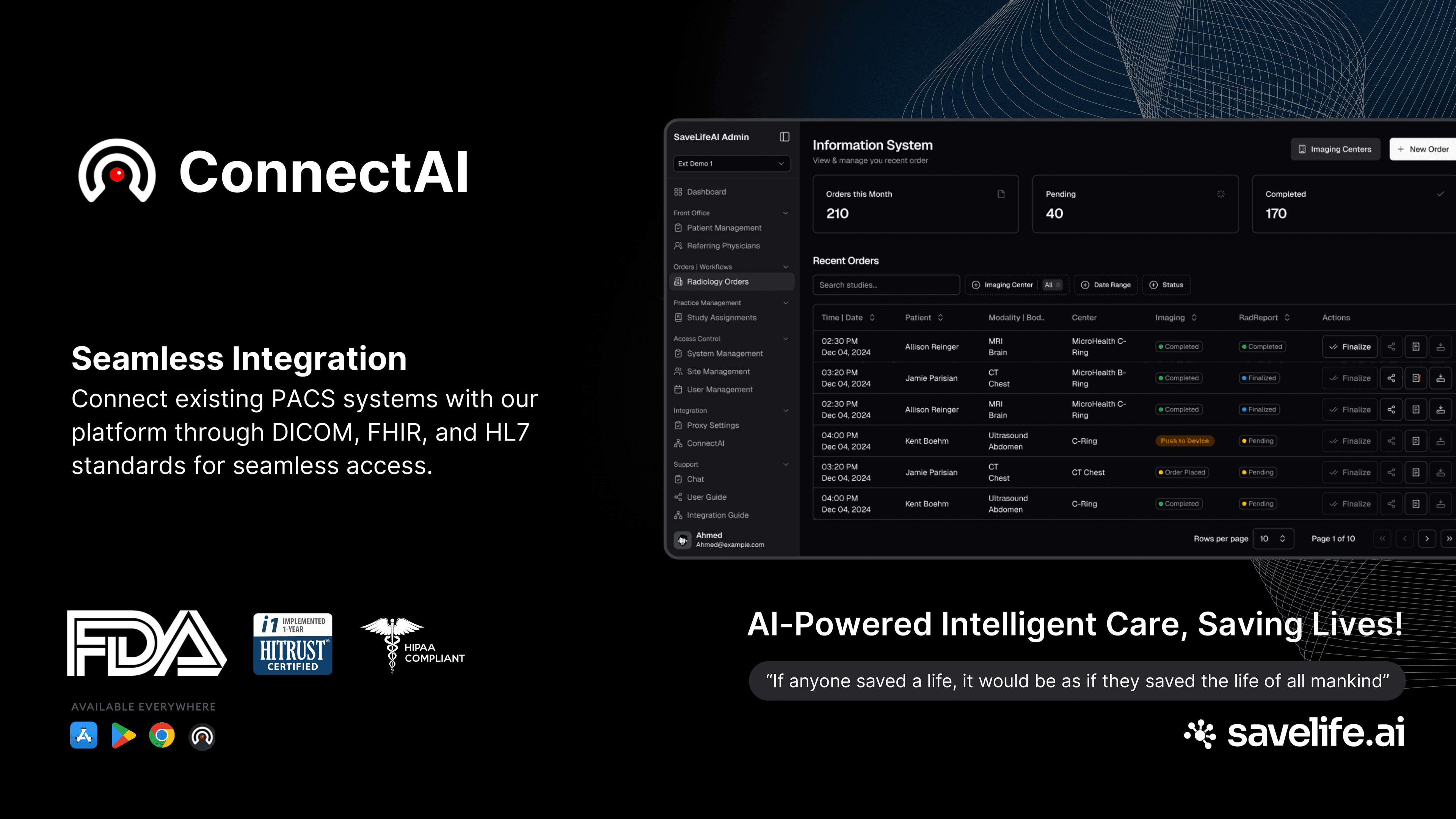
Connect existing PACS and EHR systems through DICOM, FHIR R4, and HL7. The data that never reached the chart now does.
Every major PACS & EHR
Epic, Cerner/Oracle, athenahealth, ModMed, eClinicalWorks, and any FHIR-native system you already run.
Open standards, no middleware
DICOM, FHIR R4, HL7v2, and SMART on FHIR out of the box. Nothing custom to build.
Two-way by design
Pull schedules and patient data in; push structured results back to the chart.
Platform
One platform. Every integration.
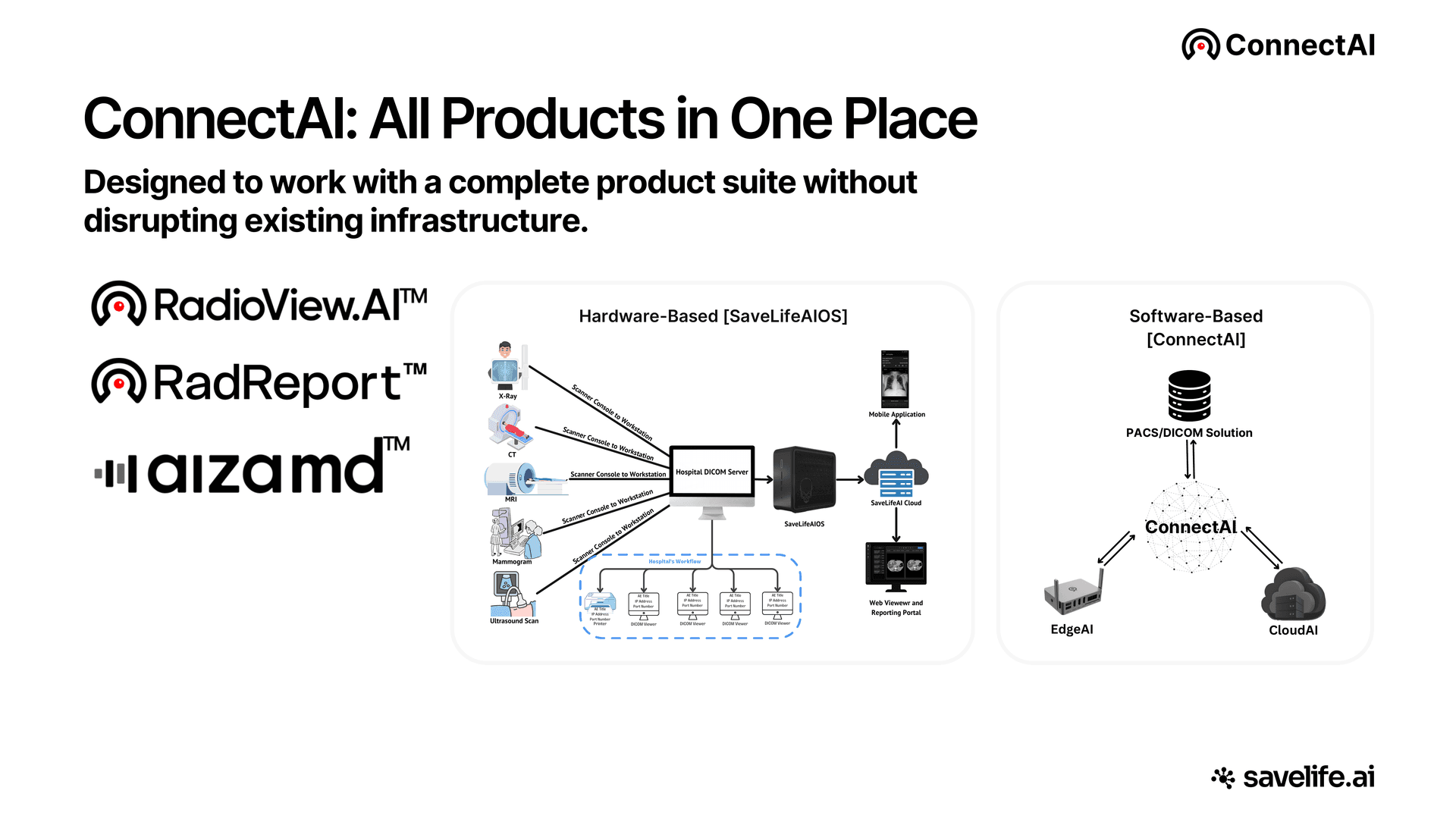
ConnectAI operates at two levels, the invisible integration backbone and the visible admin control panel.
Integration Gateway, PACS/EHR/DICOM
ConnectAI connects every SaveLife.AI product to hospital infrastructure. Supports TCP/IP (standard DICOM), TLS/Key-Based (DICOM over TLS), and HTTP/HTTPS connections, compatible with all major PACS vendors.
Unified Admin Dashboard
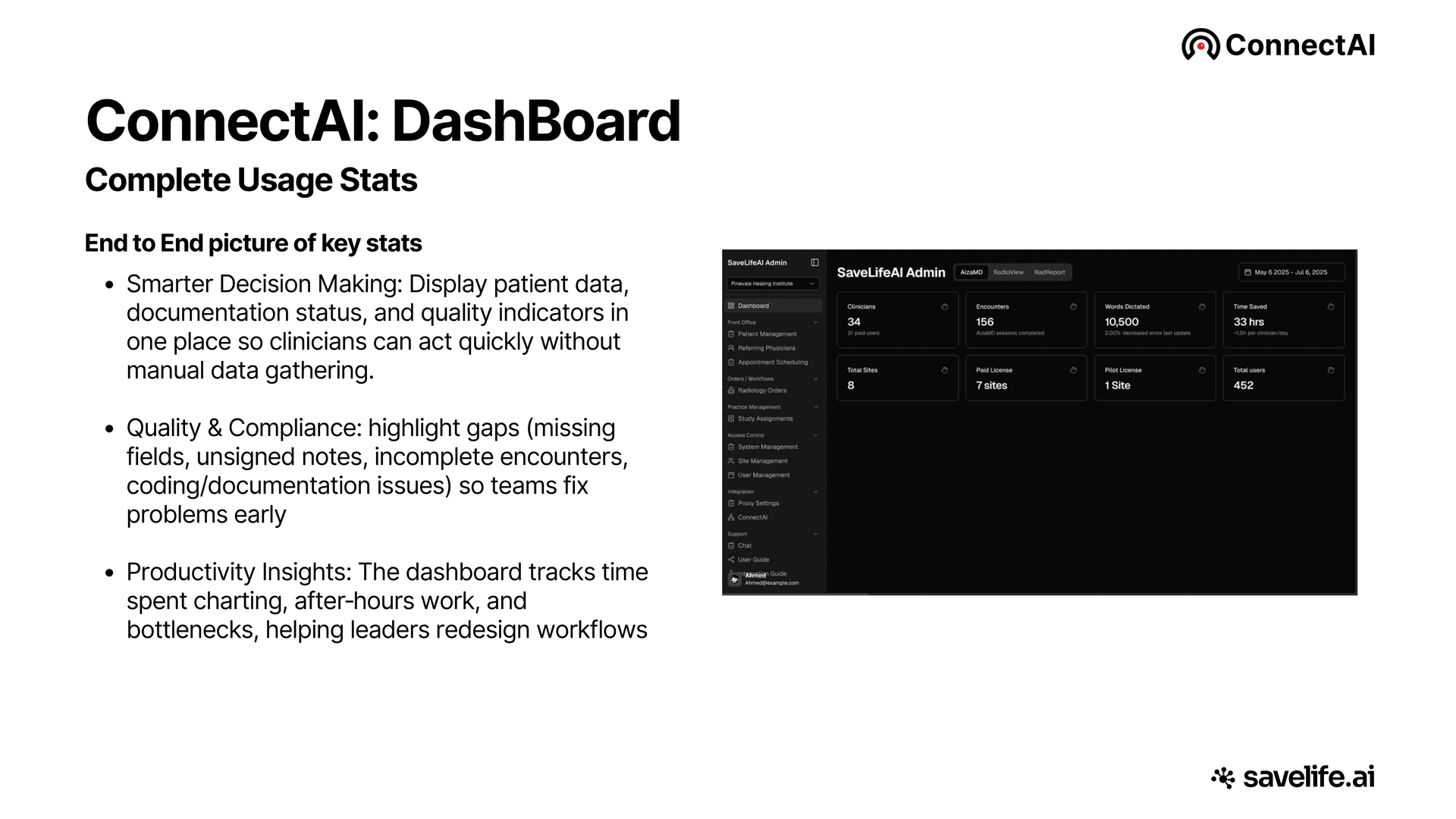
A single pane of glass across AizaMD, RadioViewAI, and RadReport. Track clinicians, encounters, words dictated, time saved, and total sites, all in one portal.
Front Office & Patient Management
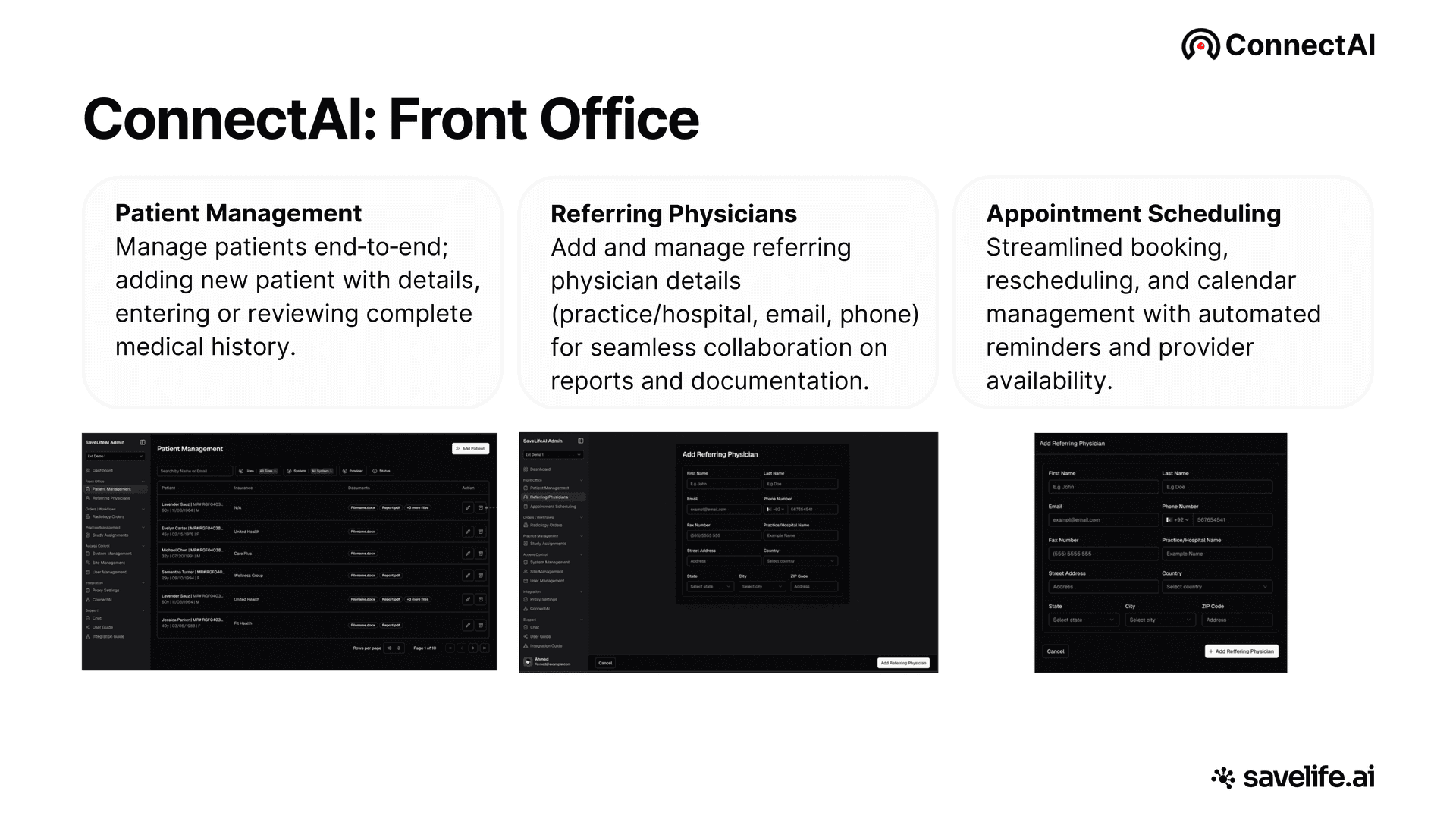
Manage patients end-to-end, handle referring physician relationships, and speed up appointment scheduling with automated reminders and real-time provider availability.
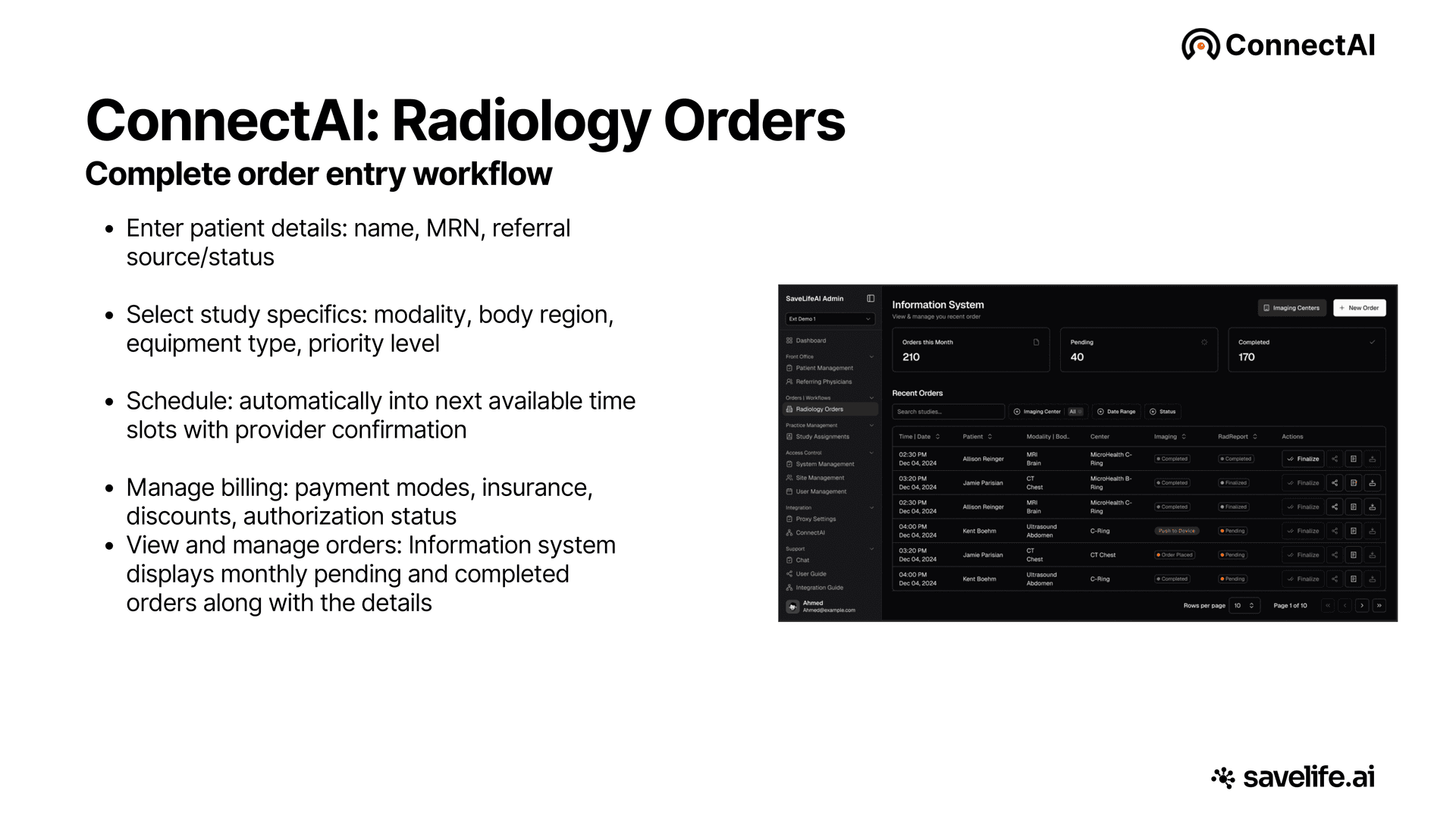
Radiology Orders Workflow
Complete radiology order management, enter patient details, select modality and body region, auto-schedule into next available slot, and manage billing and insurance authorizations.
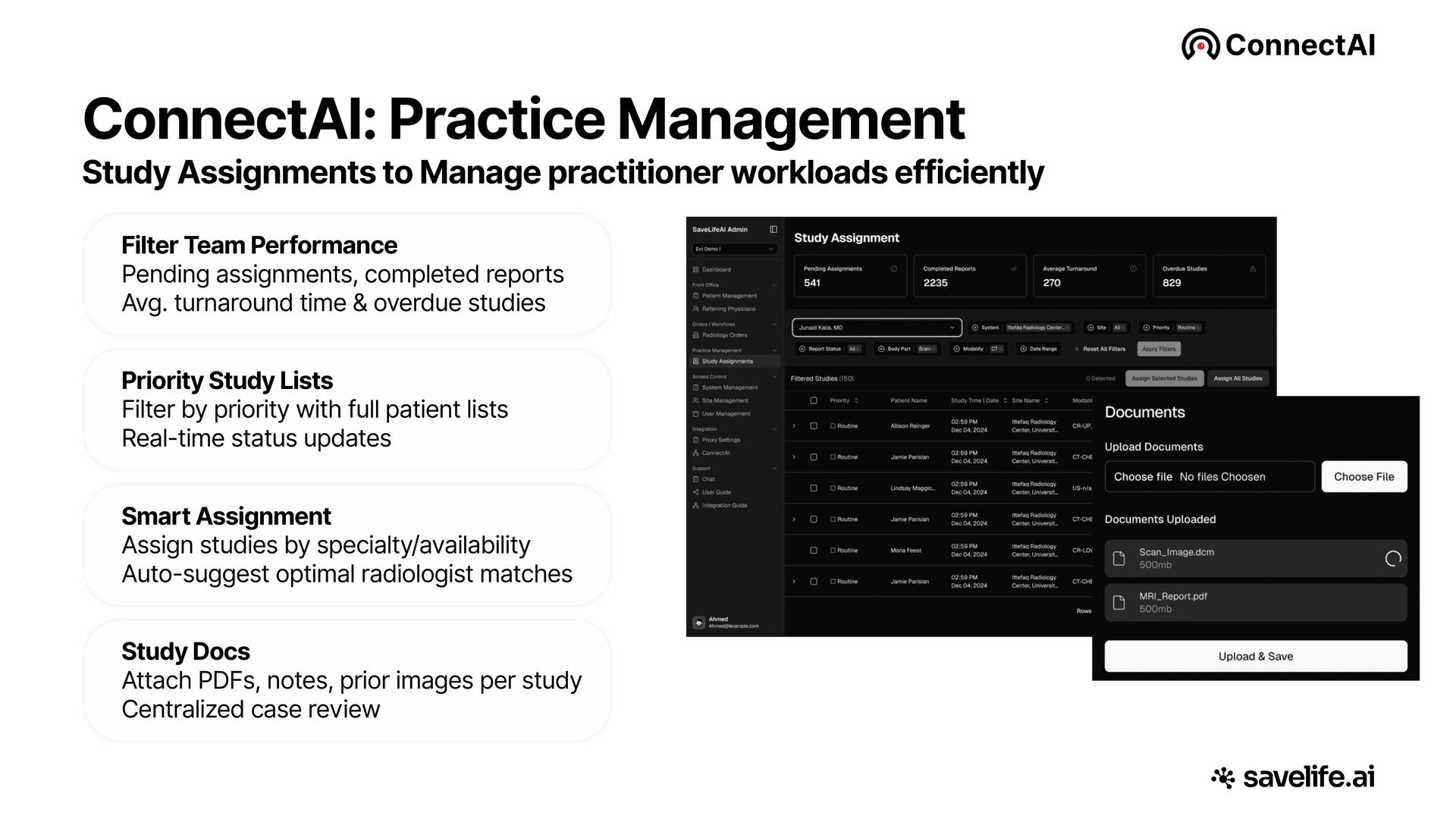
Practice Management
Smart study assignments by specialty and availability. Filter by priority, track turnaround times, view real-time status, and attach PDFs, notes, and prior images per study.
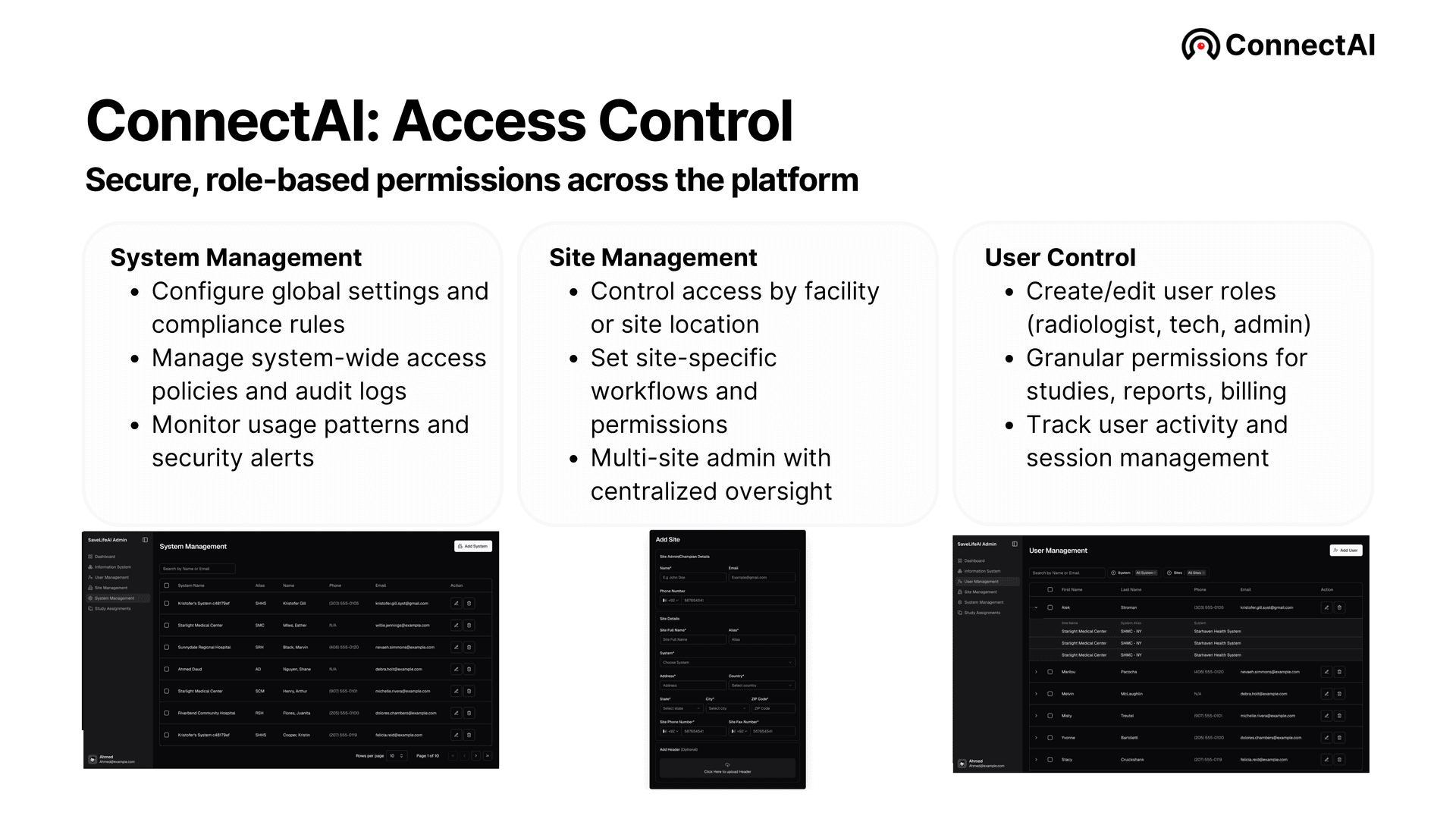
Role-Based Access Control
Four-tier role hierarchy: SuperAdmin, SystemAdmin, SiteAdmin, and Clinician. Granular permissions for studies, reports, and billing, with full audit trails and session management.
Compatibility
Compatible with your existing systems
Full DICOM PS3.1-PS3.20 (2024) compliance. FHIR R4, HL7, SMART on FHIR, and Ignite API support.
PACS Platforms
- ✓GE Healthcare Centricity PACS 3.x+
- ✓Philips IntelliSpace 4.4+
- ✓Siemens syngo.plaza VB30+
- ✓Fujifilm Synapse 5.x+
- ✓Sectra IDS7 21.x+
- ✓Agfa Enterprise Imaging 8+
- ✓Change Healthcare PACS 12.x+
- ✓Intelerad InteleOne 4.x+
- ✓Any DICOM-compliant system
EHR Platforms
- ✓Epic (SMART on FHIR)
- ✓Cerner (Ignite API)
- ✓Athenahealth
- ✓ModMed
- ✓eClinicalWorks
- ✓Any HL7/FHIR-compliant system
Standards Supported
Architecture
The integration layer every AI product needs
ConnectAI serves as the connectivity backbone for the entire SaveLife.AI ecosystem. AizaMD uses it for EHR two-way sync. RadioViewAI uses it for PACS/DICOM multi-site connectivity. AI-Suite uses it to route imaging studies to AI detection modules.
Third-party AI companies can also use ConnectAI as Backend-as-a-Service, connecting to hospital PACS without building custom integration infrastructure.
Deployment
Flexible deployment
Deploy ConnectAI in the model that works for your facility, cloud, on-premise, or hybrid.
Cloud Gateway
Cloud-native PACS/DICOM solution, no on-site hardware required. Connects to existing PACS infrastructure via software gateway.
On-Premise (SaveLifeAIOS)
Physical appliance installed at the hospital. Connects directly to scanner consoles and hospital DICOM servers.
Hybrid
On-premise de-identification with cloud processing. Security of local PHI handling combined with cloud AI scalability.
Trusted & Certified
Built for Healthcare Compliance

Zero-Trust Architecture · AES-256 · TLS 1.3 · 99.41% breach-free success rate
FAQ
Frequently Asked Questions
What hospital IT teams ask before an integration project.
Which EHR systems does ConnectAI integrate with?
ConnectAI integrates with Epic through SMART on FHIR, Cerner through the Ignite API, Athenahealth, ModMed, eClinicalWorks, and any HL7 or FHIR compliant system. It supports FHIR R4, SMART on FHIR, and HL7 standards, and provides two-way data exchange: for example, it fetches physician schedules from the EHR and pushes structured SOAP notes back into the chart for AizaMD, SaveLife.AI's ambient clinical documentation product.
Which PACS vendors does ConnectAI work with?
ConnectAI supports all major PACS vendors, including GE Healthcare Centricity PACS 3.x+, Philips IntelliSpace 4.4+, Siemens syngo.plaza VB30+, Fujifilm Synapse 5.x+, Sectra IDS7 21.x+, Agfa Enterprise Imaging 8+, Change Healthcare PACS 12.x+, Intelerad InteleOne 4.x+, and any DICOM compliant system. Connection options include TCP/IP for standard DICOM, TLS and key-based authentication for DICOM over TLS, and HTTP or HTTPS, with full DICOM PS3.1 to PS3.20 (2024) compliance.
Does ConnectAI support FHIR R4, HL7, and full DICOM?
Yes, ConnectAI supports FHIR R4, SMART on FHIR, HL7, Cerner's Ignite API, and full DICOM PS3.1 to PS3.20 (2024) compliance. On the imaging side that includes C-STORE SCU and SCP, C-ECHO, C-FIND, Modality Worklist (MWL), Structured Reports (SR), and DICOM-TLS per PS3.15. Data in transit is encrypted with TLS 1.3 and data at rest with AES-256.
Can we run ConnectAI on-premise, or is it cloud only?
ConnectAI supports cloud, on-premise, and hybrid deployment. The cloud option is a software gateway that connects to your existing PACS infrastructure with no on-site hardware required. The on-premise option is the SaveLifeAIOS physical appliance, installed at the hospital and connected directly to scanner consoles and hospital DICOM servers. The hybrid model keeps de-identification on premise while processing runs in the cloud, so PHI handling stays local.
How do AI results actually get written back into our EHR and PACS?
ConnectAI pushes results into your systems through the same standards-based connections it uses to receive data. SOAP notes drafted by AizaMD are written back into the EHR only after the clinician reviews and signs them, and physician schedules sync both ways. For imaging, radiologist-finalized reports from RadioViewAI flow through ConnectAI back to PACS and the EHR. Incoming studies route automatically to the appropriate AI modules by modality and clinical context.
What will our security team find when they review ConnectAI?
ConnectAI is HITRUST CSF Certified and HIPAA Compliant, with a zero-trust architecture that verifies users and devices under strict data controls. Encryption is AES-256 at rest (FIPS 140-2) and TLS 1.3 in transit, with DICOM-TLS per PS3.15 for imaging traffic. De-identification follows the HIPAA Safe Harbor standard for PHI removal. Access is governed by role-based access control across a four-tier hierarchy, with audit logs, session management, and security alert monitoring.
How long does a ConnectAI deployment take, and what does the project involve?
SaveLife.AI does not publish a standard deployment timeline; each rollout is scoped through a demo and integration consult based on your facility's systems. The project itself covers choosing a deployment model (cloud gateway, on-premise appliance, or hybrid), configuring PACS and DICOM connections and proxy settings per site in the admin portal's Integration section, and setting up role-based access for your systems, sites, and users. Multi-site organizations get centralized oversight with site-specific workflows and permissions.
From the blog
Deeper reading on integration, interoperability, and why standalone AI stalls.
Connect your entire care ecosystem
Unify your EHRs, PACS, and AI tools under one secure, HITRUST CSF Certified integration platform.
Book a Demo