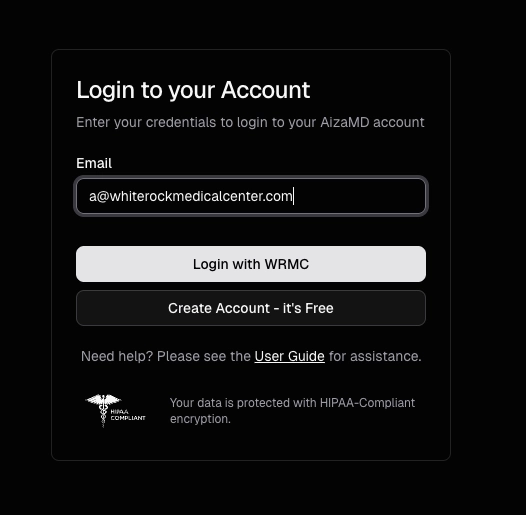
Sign In with Institutional SSO
If your institution has single sign-on (SSO) enabled, you can authenticate through your institution's portal instead of a password.
Updated
Logging In with Institutional SSO
Recommended if your institution has single sign-on (SSO) enabled with AizaMD.
- On the AizaMD login screen, enter your institutional email address.
- If your institution has SSO enabled, a "Login with [your institution]" button will appear. The button is labeled with your organization's name (for example, your hospital or health system).
- Select that button.
- You'll be redirected to your institution's sign-in portal.
- Enter your institutional email and password.
- After authentication, you'll be redirected back to AizaMD.