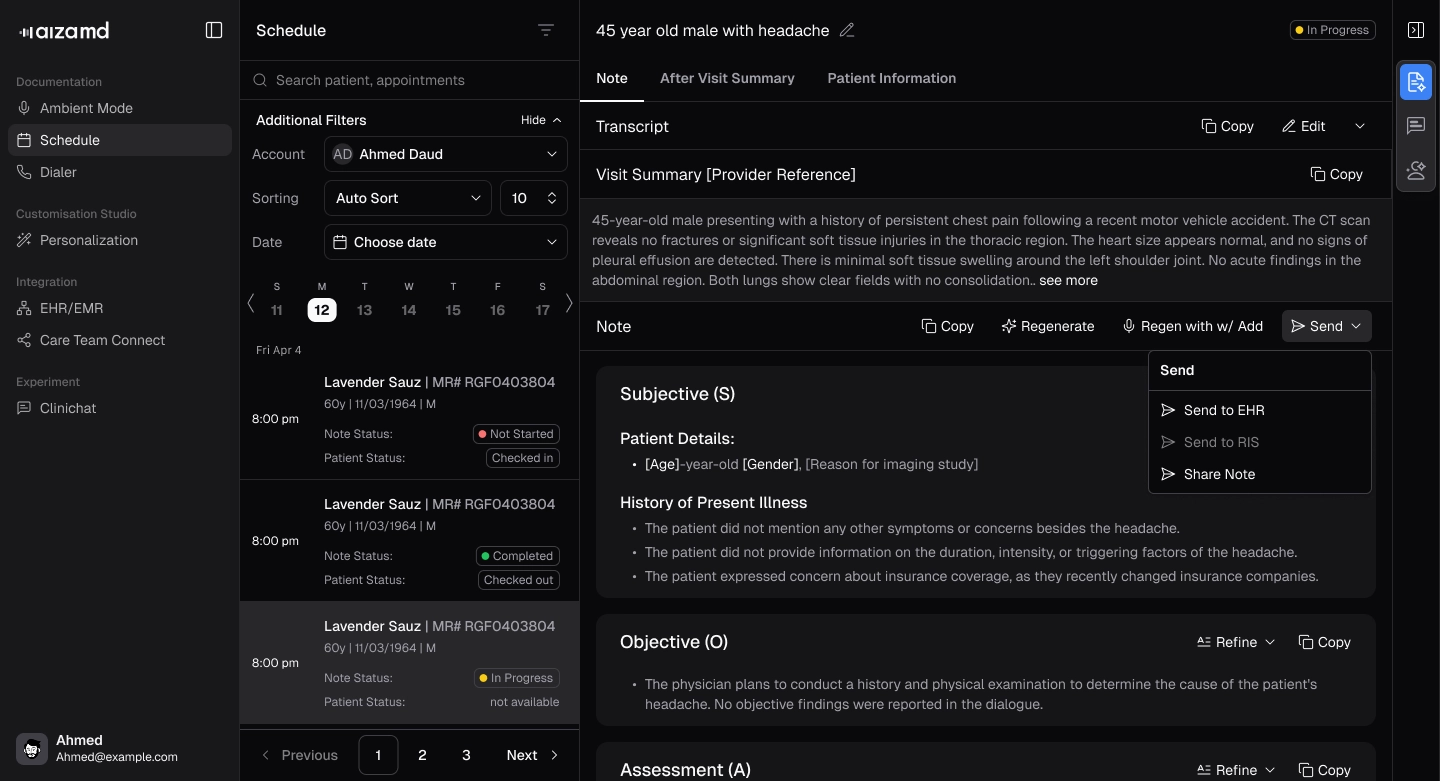
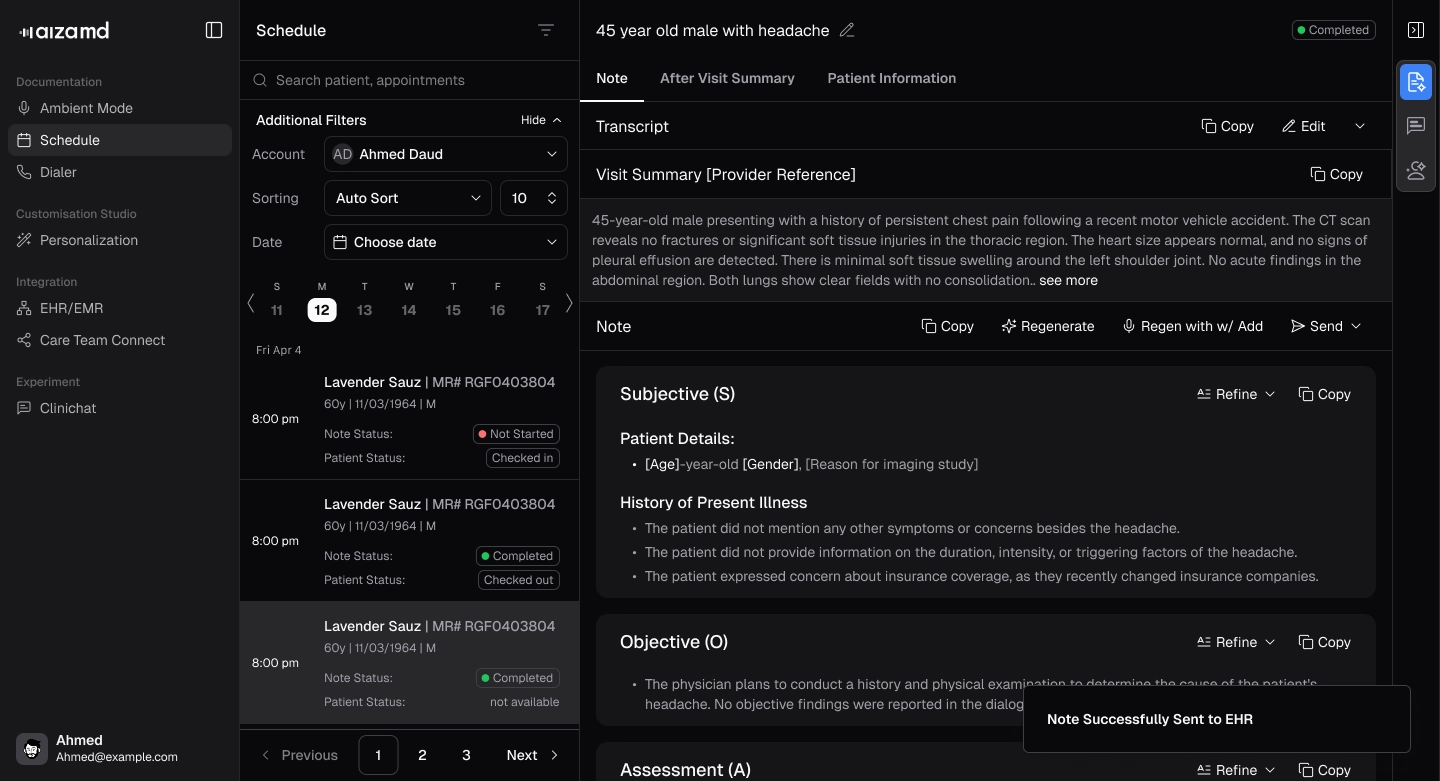
Send Notes to Your EHR
Push a completed note back to the connected EHR from the Send menu.
Updated
AI Assistant
Ask about SaveLife.AI
How can I help?
Ask me about SaveLife.AI products, compliance, or clinical AI solutions.
Suggested
Public website assistant. Do not enter patient information.
.webp)