Search, Filter & Share Notes
Find notes by keyword, mark favorites, filter the list, and share via email or WhatsApp.
Updated
Searching for Notes
- To search for a note, simply type keywords into the search bar located at the top of the page.
.webp)
Using Filters
- To mark a note as a favorite, click on the three lines and select favorite with the star next to it.
- To use filters, click the icon next to the search bar and select "Favorite" to view only your favorite notes, or "All Notes" to see all notes.
.webp)
.webp)
.webp)
Sending
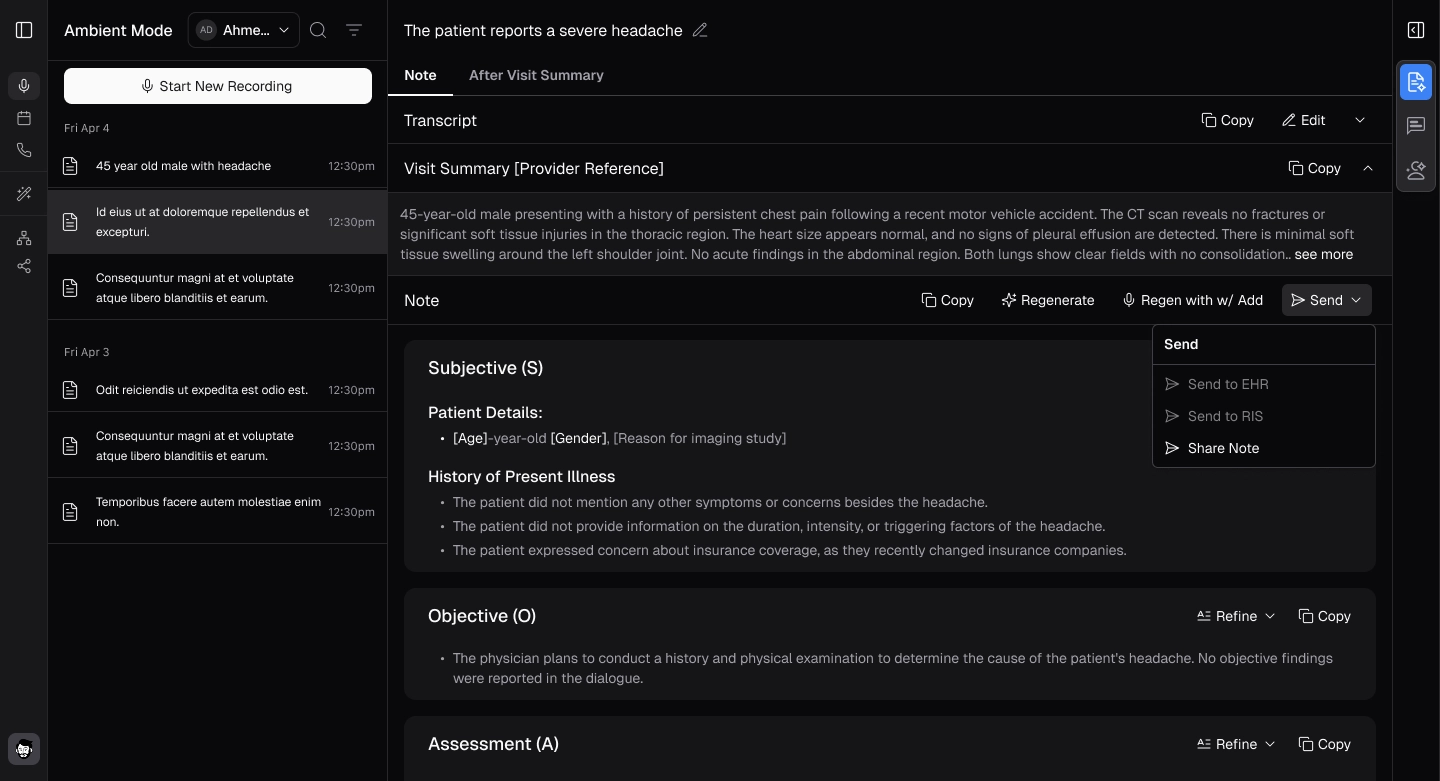
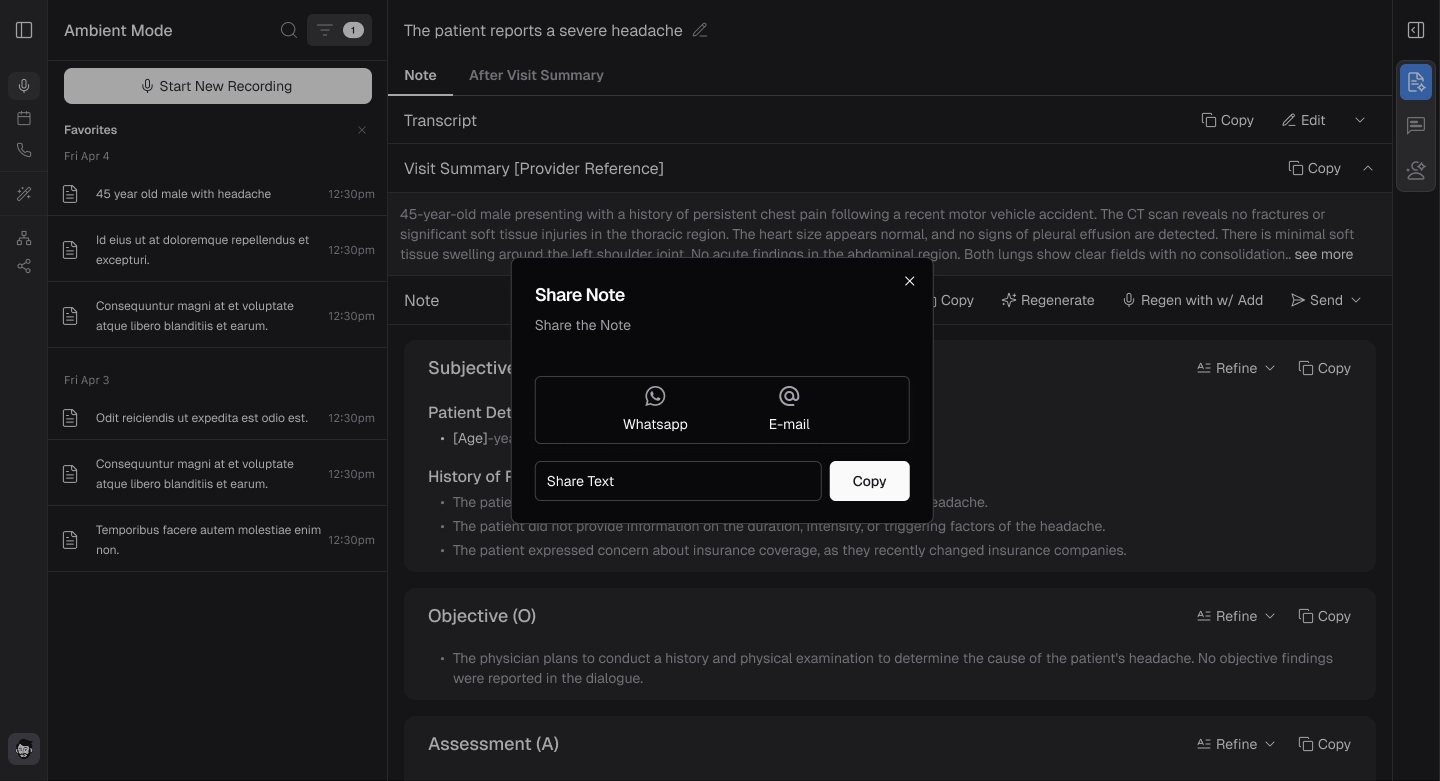
- To send a note, click "Send" and then select "Share" from the dropdown list that appears.
- The note can be shared via email or WhatsApp, along with the accompanying text shown in the popup notification that appears.